
Marketing ROI & Measurement
W: What are you measuring?

Tanner Wetzel
Founder, WithYou Digital
6 min read
If I asked how many families enrolled from last month's marketing, could you answer with confidence? What about which classroom they joined, or how many inquiries never received a response?
If the answer is no, you are not alone. Many centers have the information somewhere, but it lives across an inbox, a tour calendar, a CRM and a childcare management system. Before you make a bigger advertising decision, bring those pieces together.
This is the W in the WYD roadmap: What are you measuring? The goal is to follow an inquiry far enough to understand what happened and make the next decision with better information.
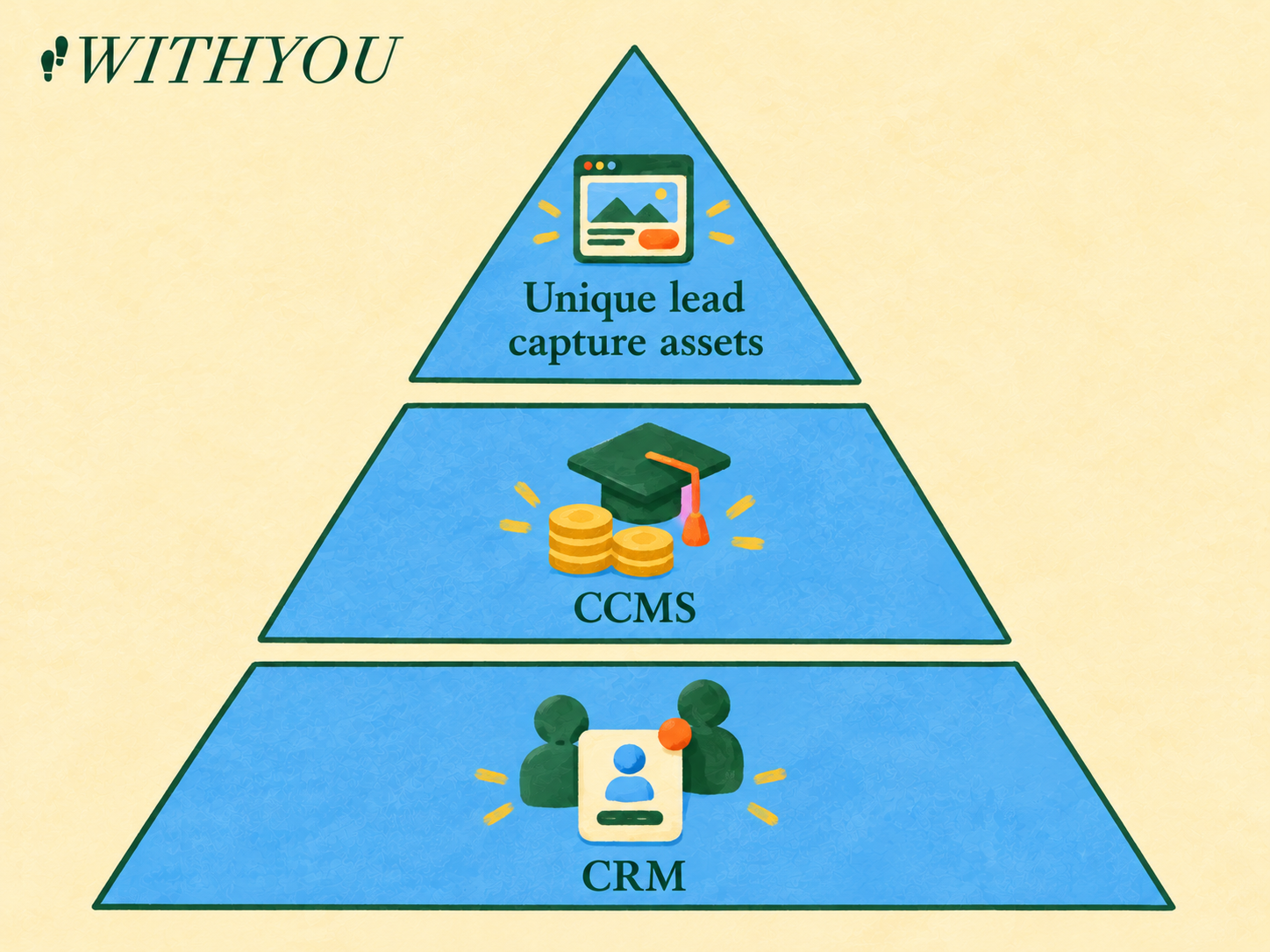
The W foundation: organize the family journey in your CRM, connect enrollment and revenue in your CCMS, and identify lead sources with dedicated capture assets.
Start with the family record
Your CRM is the place to organize the enrollment journey. A useful record tells your team who inquired, what care they need, what follow-up has happened and where they are in the process. It should also make the next action clear.
At a minimum, capture:
- Inquiry date and a reliable contact method.
- Location and requested classroom or age group.
- Source, along with how it was identified.
- Current stage: inquiry, scheduled tour, completed tour, enrolled, or closed.
- Follow-up activity and a reason when a family does not move forward, if known.
Your team may need other fields, such as a desired start date. Keep the required list short enough that people will actually use it. Agree on who owns updates and when they happen. Make each required field part of the team's follow-up routine.
Define the stages together. Does a scheduled tour count when an appointment is booked, or only after a family confirms it? What happens if the family reschedules? Consistent definitions make your rates more trustworthy and reduce confusion between locations.
Connect enrollment to your childcare management system
Your childcare management system holds operational and financial information such as attendance and payments. The CRM explains the journey into your center. Together, they can help you connect an inquiry with an enrollment and the revenue associated with that family.
Start by deciding how a family will be matched between systems. A shared identifier is useful where available; otherwise, establish a careful review process for matching records. Confirm the location, child or family and enrollment date before counting a match. Check duplicates, cancellations and transfers so the same enrollment is not counted twice.
You don't have to automate everything immediately. A periodic manual reconciliation can reveal gaps and help you understand what an integration needs to do. If you connect systems automatically, test a few records from beginning to end and check again after changes to forms, fields or processes.
Revenue can help you evaluate the value of enrolled families over a stated period. Keep the timeframe consistent and distinguish billed amounts from collected revenue where that matters to your analysis. Do not treat revenue as profit: staffing, occupancy and other operating costs matter too.
Make lead sources easier to identify
Source tracking answers a practical question: where should we invest more attention or money? Dedicated landing pages, forms and phone numbers can provide useful signals. For example, a phone number used only in an ad can help identify calls from that placement; a dedicated landing page can help identify inquiries submitted there.
Families move between devices and channels. A parent may see an ad, search your name later, and call your main number. Capture source evidence at each touchpoint and ask families how they heard about you.
Capture the original source and the evidence behind it when possible. If you also track a later touchpoint, keep it separate instead of overwriting the first source. Use an unknown category when evidence is missing. Forcing every family into a channel creates a cleaner-looking report and a less reliable decision.
Check the handoffs that lose information
Walk through the actual path a parent takes. Submit a test inquiry through each major form and call each tracking number where appropriate. Confirm the inquiry arrives, the source and location are recorded, and the right person knows to follow up. Make sure your team can recognize and remove test records from reports.
Then review a small sample of real inquiries. Can you find the first response? Is the stage current? If a family enrolled, does the CRM match the management record? If someone did not enroll, do you know why, or is the reason genuinely unknown?
This review often finds a more useful problem than another dashboard will: a form routed to the wrong person, an unanswered call, a duplicate record or a tour that happened but was never marked complete.
Choose conversions that reflect the journey
Childcare conversion tracking should reflect more than form submissions. An inquiry is an early signal. A completed tour is a stronger indication of progress. An enrollment is closer to the business outcome you are trying to create.
Connect later-stage outcomes to advertising using consistent event definitions, accurate records, and the permissions your team has established. Use those outcomes to guide campaign decisions.
Avoid declaring every inquiry a success just because it came through an ad. That can make a campaign look productive while your director spends time on families who need a different age group, location or start date.
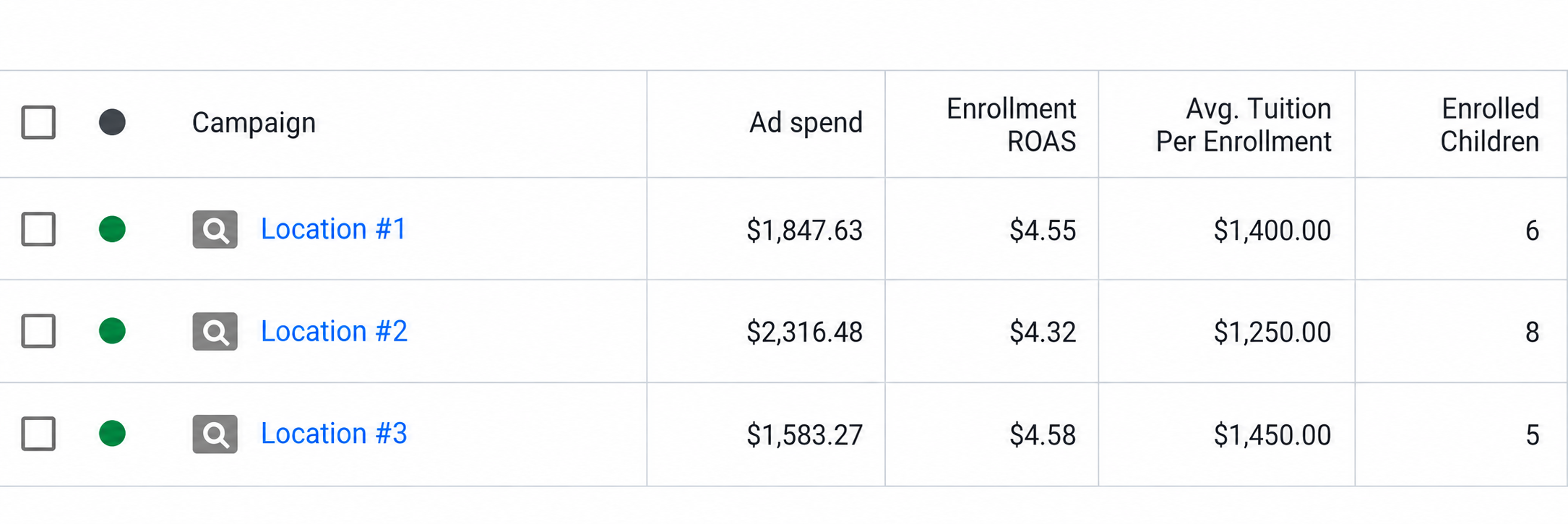
Bring ad spend, enrollment, and tuition into the same view. Use enrollment ROAS to compare attributed revenue with ad spend.
Put the foundation to work
For the next month, choose one location and make these four checks part of the team's routine: new inquiries are recorded, follow-up has an owner, tour outcomes are updated, and enrollments are reconciled. Review missing sources and incomplete records each week.
Once you trust the path, you can calculate the rates between stages and compare sources. You can also estimate cost per enrollment by dividing spend by attributable enrollments over a consistent scope and timeframe. Label each source clearly and compare results over a consistent period.
The point of this work is not to collect more data for its own sake. It's to make sure that when you ask why a classroom has openings, the answer is not hiding in four different systems.